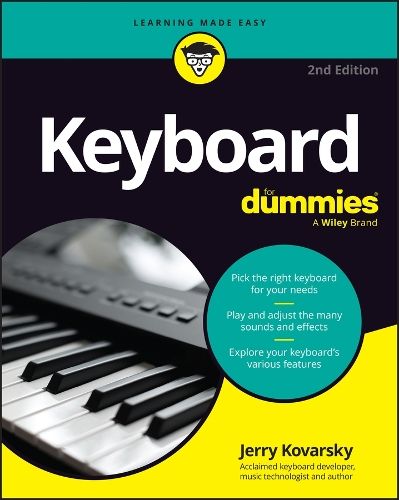
Keyboard For Dummies
- Author: Kovarsky, Jerry
Keyboard For Dummies
- Author: Kovarsky, Jerry
Purchase product
About
Discover the keyboard that's right for you, whatever your budget!
Looking for a fun, challenging, and rewarding new instrument to play? Thinking about the piano but don't necessarily have the room or the budget to put one in your home?
Then grab a copy of the second edition of Keyboard For Dummies! In the book, acclaimed music technologist and keyboardist Jerry Kovarsky explores the wide variety of keyboards available, their sounds and features, and how to find the one that's right for you.
This book walks you through the basics of keyboard playing, from hand and finger placement, to reading music, understanding rhythm and the basics of chords and harmony. Then, take on the fundamentals of sound editing, using effects, and recording your music. You'll learn how to hook up a keyboard to your computer, iPad or smartphone using both wired and Bluetooth technologies.
Inside the book:
- Tips for choosing the right keyboard for you and keeping it in good condition
- Step-by-step tutorials to teach you keyboard hand placement and basic keyboard technique
- Suggestions for playing the most common keyboard sounds
- Playing along with rhythm patterns and auto-accompaniment
- Help with recording and editing songs
- Recommended online resources and example audio tracks
Whether you're a total keyboard novice or a more experienced piano player seeking to explore electronic keyboards, Keyboard For Dummies is the easy-to-read and fun guide to the instrument that you've been waiting for.
Contents
- Introduction 1
- Part 1: Getting Started with Keyboards 5
- Chapter 1: Living in a Keyboard World 7
- Chapter 2: So Many Keyboards, So Little Time 15
- Chapter 3: Choosing the Right Keyboard for You 41
- Chapter 4: Setting Up and Caring For Your Keyboard 61
- Part 2: Dipping Your Toes Fingers into Music Basics 79
- Chapter 5: Musical Notation: Decoding the Musical Language 81
- Chapter 6: Developing Your Fingering and Basic Technique 101
- Chapter 7: Going Chord Crazy 115
- Part 3: Using Common Keyboard Features. 127
- Chapter 8: Selecting and Playing Sounds 129
- Chapter 9: Using Effects to Enhance Your Sound 145
- Chapter 10: Jamming with the Drummer: Playing Along to Rhythm Patterns 159
- Chapter 11: Join The Band! Adding Accompaniment 173
- Chapter 12: Exploring Arpeggiation 195
- Part 4: Moving into More-Advanced Keyboard Features 205
- Chapter 13: Laying Down Tracks: Recording Your Playing 207
- Chapter 14: Editing Sounds 229
- Chapter 15: Teacher Included: Using Onboard Learning Systems 249
- Chapter 16: The Computer Connection: Using Software to Enhance Your Music Making 257
- Part 5: The Part of Tens 273
- Chapter 17: Ten Tips for Keyboard Shopping 275
- Chapter 18: Ten Ways to Enhance Your Playing Experience 281
- Appendix: Discovering What’s on the Audio Tracks 287
- Index 293